

Custom icons without the wait. A consistent LaunchPad Toolbar experience across every theme. Save time this summer with our latest LaunchPad updates.
Icon Builder: Design Your Own App Icons (Available in the New CMC Dashboard)
Icon Builder, now available in the new CMC Dashboard, gives you a fast, easy way to design and manage your own app icons. Use your district colors, school logo, custom text, or even AI to make polished icons in seconds.
Here's how it works:
Create your icon, download it, and submit a case to ClassLink Support to have it added to your app icon library. The upload process stays the same, but the design is now in your hands! 🙌
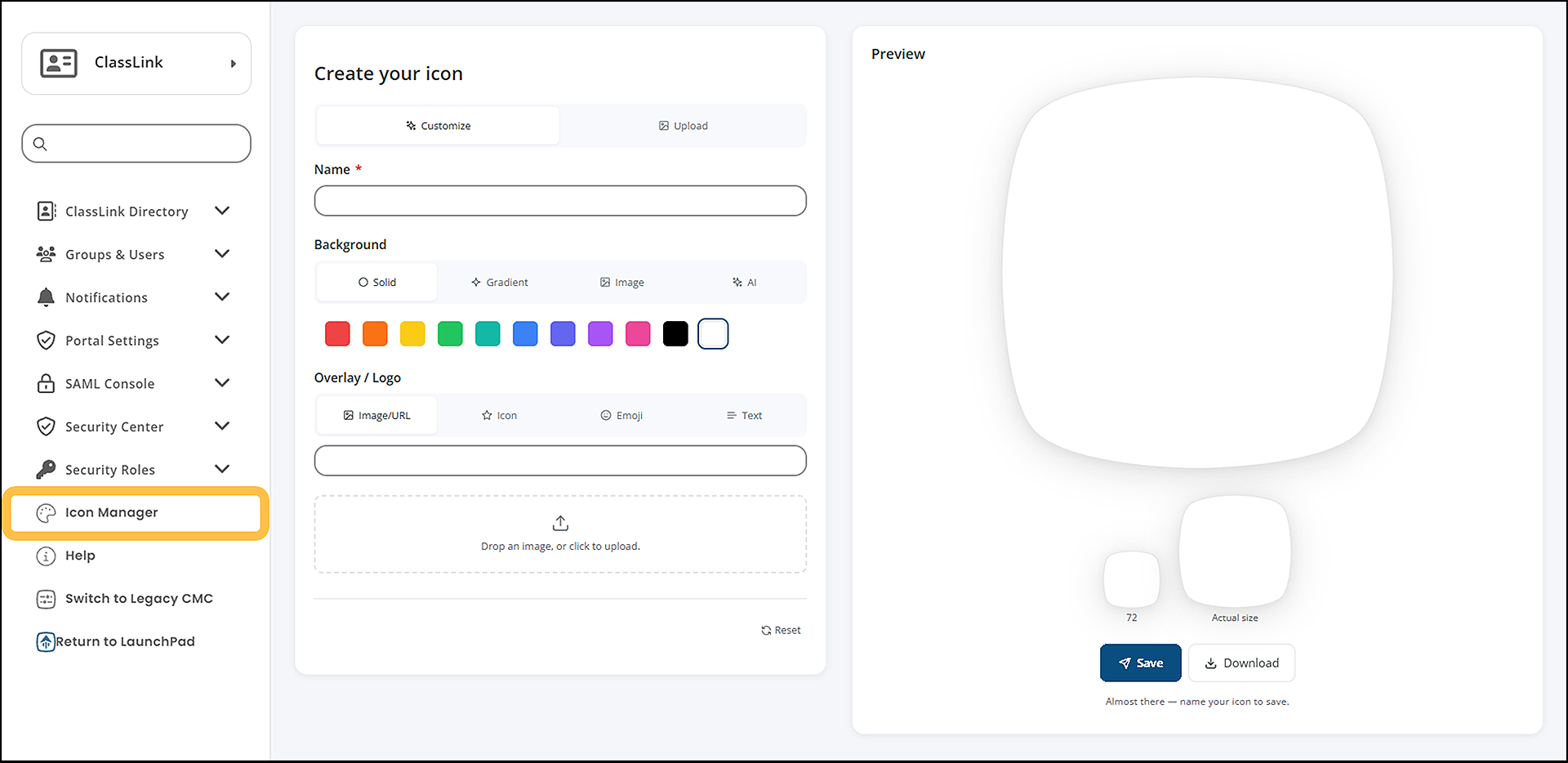
Every icon is saved directly to a library that's private to your school system. No one outside your district can see or use it.
Find Icon Builder in the New CMC
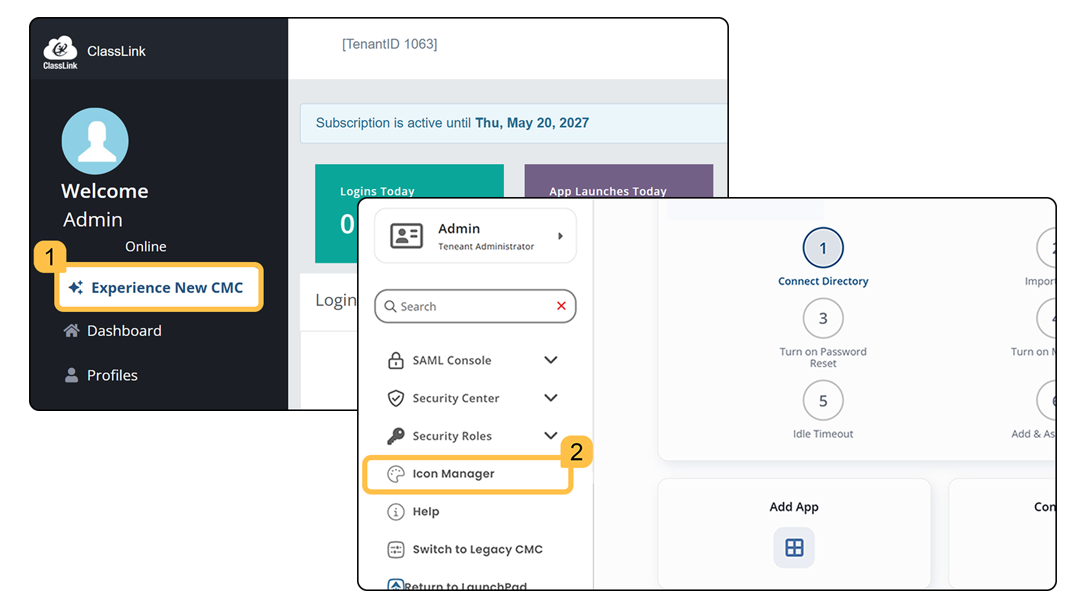
Ready to build your own icons? In the CMC, select Experience New CMC, then choose Icon Manager to open Icon Builder.
New LaunchPad Toolbar: One Consistent Experience (Coming Summer 2026)
Coming soon, every LaunchPad theme will share the same toolbar. Right now, where you find things, like notifications or your app library, can shift depending on which theme you're using. Once the LaunchPad Toolbar update rolls out later this summer, your tools will be in the same place, every time.
A few things will feel familiar: searching for apps, adding app tags, and accessing your profile and settings will all work the way they do today.
A few things will move. You'll find these tools in new, consistent spots along the top and right side of your screen:
- Notifications
- App Library
- Widgets
- My Links
- MyFiles
- Preferences
Read our new Help Center Article for a full breakdown of the new LaunchPad Toolbar. Then, watch for a LaunchPad notification letting you know when the new Toolbar is live!