

Parents want less screen time in schools. Lawmakers are listening: six states (Alabama, Iowa, Maine, Tennessee, Utah, and Virginia) enacted screen time legislation this year, with at least 10 more states introducing bills of their own.
Four Research-Based Questions, Answered
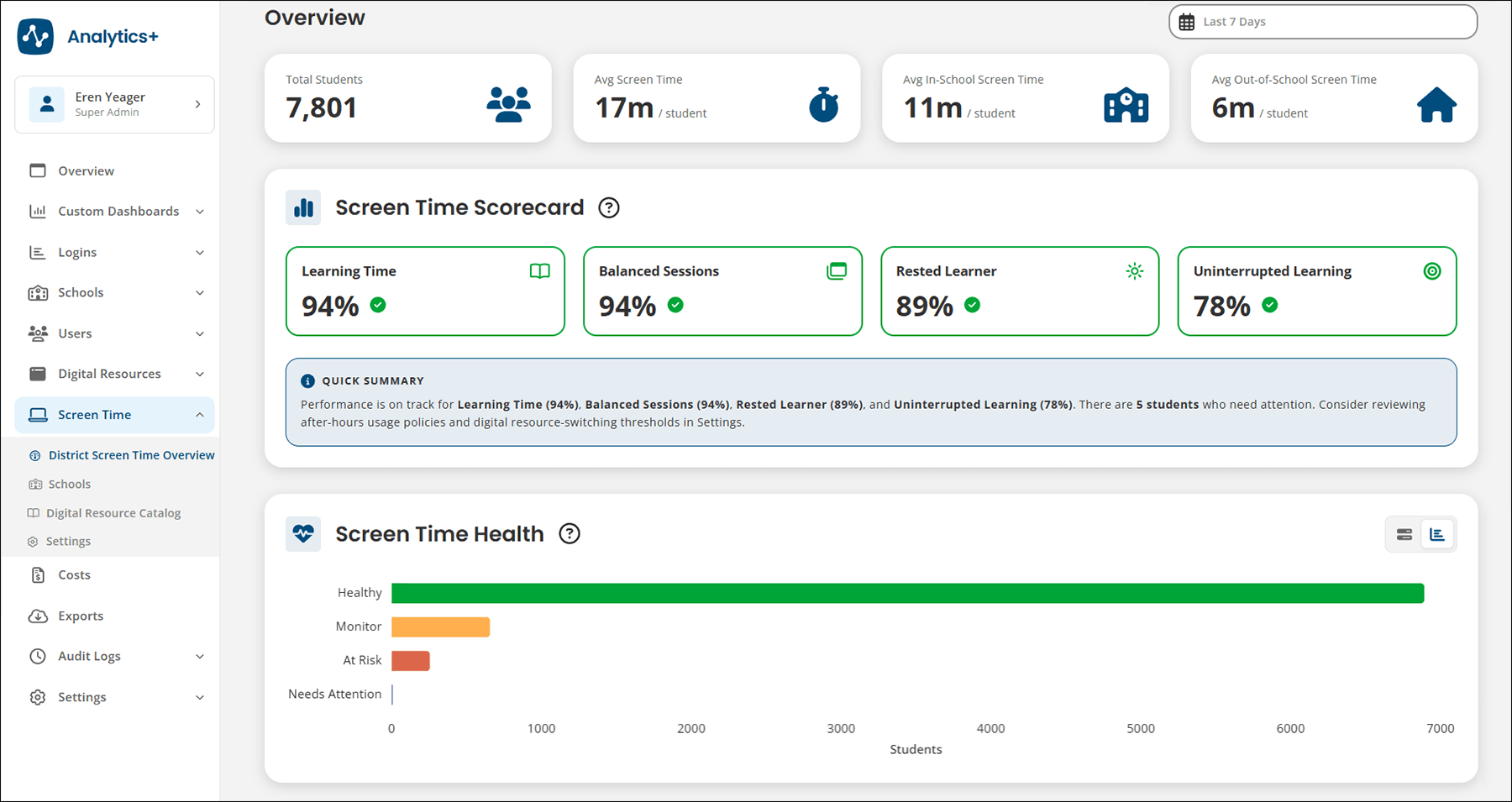
Screen Time answers four research-based questions to help you know for sure.
- Learning Time: Is device time supporting learning? See time spent in district-selected learning categories.
- Balanced Sessions: Are session lengths balanced? Find long or repeated sessions that may need breaks.
- Rested Learners: Is usage within expected hours? See whether device use aligns with expected hours.
- Uninterrupted Learning: Are students staying on task? Spot when students stray from learning resources.
"ClassLink Screen Time is going to give us a way to actually stop counting minutes and start making our minutes count."
If you already use Analytics+, Screen Time is included at no extra cost, just waiting for you to set up. Here's everything you need to get started.
Get to Know Screen Time with a District Leader
Join Tracy Lane, Dougherty County School System's Instructional Technology Specialist, and Michael Urbanik, ClassLink's Product Manager, for a district-focused overview of the new Screen Time feature. They'll show you how it works and how it gives districts clear visibility into how students spend time on their devices, because not all screen time is equal.
See Dougherty County's take on Screen Time
Watch a Step-by-Step Setup Webinar
This hands-on configuration session with Lauren Dill, VP of Client Services, shows you exactly how to fully configure Screen Time to your district's terms, including custom thresholds, labels, and policy language.
You'll leave with:
- Screen Time fully configured
- Clear language for connecting data to policy and priorities
- Next steps for sharing data insights with your school community
Go Deeper with 10 New Help Articles
Find 10 new Help Articles that walk you through exactly how to view, analyze, and manage Screen Time data in Analytics+.
Already using Analytics+? Start with the overview webinar, then configure Screen Time with the setup session, and bookmark the Help Center for when you need it.
Want to move beyond measuring minutes, but don't have Analytics+ yet? Connect with us. We'll help you get started.